The biggest problems with DOORS Classic is that, even with a rigorous template and careful administration, modules in large projects can end up with different attributes with similar functions and names and worst of all, the same name but different enumeration types for the same attribute. It is almost impossible to detect these anomalies using manual means. One example could be where an attribute in two modules has a slightly different spelling or has a space on the end of the name. Another real life example, which is in the IBM Rational DOORS Car Project, is that the module ‘Architectural Design’ contains an attribute named ‘Design risk’ which has a type of name ‘Design risk’ and enumerations [High | Low | Medium ], whereas in the module ‘Stakeholder Requirements’ the type is ‘Text’.
This is of particular importance if a project is migrating to DOORS Next, where these sorts of differences can lead to huge rectification efforts.
There is not a function within DOORS Classic to identify all attributes and types. And a script that identifies just attributes or just types is of limited value because of the effort needed to compare the results. What is needed is an alphabetic list of attributes for all modules within the project or database together with the associated type and the enumerations. Any slight differences can then be easily detected and rectified.
This utility is either run from the database DXL interaction window or from the main menu. The utility detects if it has been run with an open current project.
It begins by opening and displaying some information messages in the DXL interaction window and a popup to determine some options from the user. The export to Excel function is only active if a project has been selected, as a database is likely to contain more than 252 modules which is a limiting factor in the number of Excel columns.

Depending on the option selected, the DXL will run through each item in the database or a specific project building a skip list. Each module is opened in read only mode, background with standard view. It always ignores DXL attributes (this can be analysed using a different script). Depending on the options selected, certain other attributes are also ignored.
The output to the DXL interaction window consists of 2 items, the name of the attribute and its type combination and in which module(s) this can be found.


If the option to export to Excel is selected, then Excel is automatically opened and a table with the modules across the top as columns and the attributes and type combination in the rows. In order to make it easier to analyse, the modules are grouped by folder and the top bar is colour coded for each folder.

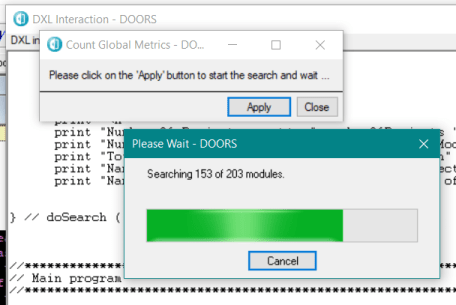
Because there can be thousands of modules and attributes in a database, then the script displays a progress bar based on the number of modules in the database/project to be analysed.